

How Animation Improves Storytelling in Slides
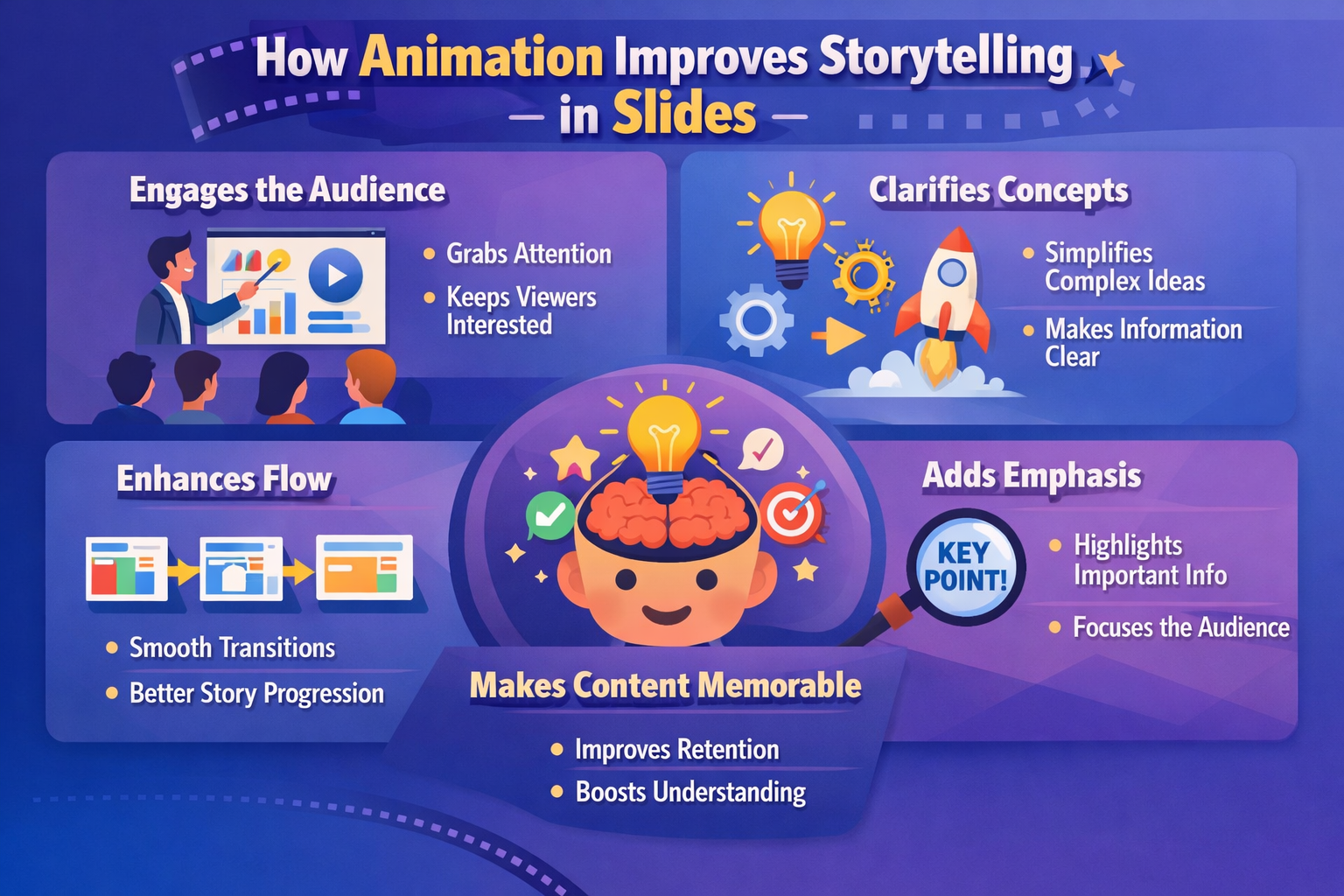
Static slides often lose attention within minutes. Audiences stop reading, presenters rush through content, and important ideas fade before they land emotionally. Animation changes that rhythm. Movement introduces pacing, focus, and anticipation. It helps viewers follow information naturally instead of processing everything at once. A well animated presentation feels closer to a short visual experience than a stack of disconnected screens.
Modern creators are also using tools such as a no-code slide platform to build animated visual stories without needing design or coding experience. Drag based layouts, transitions, timed motion, and layered visuals make it easier to create presentations that feel polished and cinematic while still remaining simple to edit and share online.
Quick Summary
- Animation guides attention and controls pacing in presentations.
- Motion helps viewers understand emotional and visual transitions.
- Looping visuals and subtle movement increase audience retention.
- Animated slides feel more immersive than static layouts.
- Balanced motion improves storytelling without overwhelming viewers.
Movement Gives Presentations a Sense of Direction
A presentation without motion can feel flat, even when the information itself is strong. Animation introduces visual flow. Instead of showing every idea at the same time, content can appear gradually in a sequence that mirrors natural conversation. This helps viewers process information one layer at a time. Their attention stays connected to the speaker rather than drifting toward unrelated elements on the screen.
Motion also creates transitions between thoughts. A chart sliding into view can signal a shift from context to evidence. A fading image can create a softer emotional tone before introducing a personal story or case study. These tiny visual moments influence how audiences emotionally interpret information. Strong storytelling is not only about words. Timing and presentation shape meaning just as much.
Designers working with animated media often borrow concepts from GIF creation and looping visuals. Techniques similar to those used in seamless GIF looping help slide animations feel smoother and less distracting. Repeating movement patterns can create continuity between sections without making the presentation feel repetitive.
Visual Timing Shapes Emotional Impact
Every strong story depends on pacing. Films use editing. Music uses rhythm. Presentations rely on visual timing. Animation helps control how quickly or slowly viewers absorb information. Fast transitions create urgency. Slower fades feel reflective and calm. The timing between movements can influence mood before a single word is spoken.
A product launch presentation may use sharp transitions and quick movement to communicate energy and innovation. A nonprofit awareness presentation might use slower image fades to encourage emotional reflection. The same content displayed statically would lose much of that emotional texture. Animation becomes part of the storytelling language itself.
Presenters also gain better control over audience focus. Instead of showing an entire complex infographic immediately, animated reveals can introduce one section at a time. This prevents cognitive overload and keeps viewers from reading ahead. Audiences stay synchronized with the presenter’s explanation rather than trying to decode everything instantly.
Slides Feel More Human With Motion
People naturally respond to movement. Human attention is wired to notice changes in motion and visual direction. Animation taps into that instinct. Small movements can make presentations feel alive and responsive. Even subtle transitions between slides can create a smoother emotional connection with viewers.
This effect becomes especially useful during long presentations. Large blocks of static text quickly reduce engagement. Animated elements break monotony and refresh visual interest without needing dramatic design changes. A small movement can reset attention and help viewers stay mentally present.
Animated visual storytelling also mirrors how people experience content online. Social media feeds are filled with motion graphics, short videos, looping clips, and animated posts. Modern audiences already expect movement as part of digital communication. Presentations that include thoughtful animation feel more aligned with current viewing habits.
Animation Helps Explain Complex Ideas
Some ideas are difficult to communicate through static visuals alone. Processes, timelines, workflows, and transformations become easier to understand when animated. Showing movement between stages helps audiences understand relationships between concepts instead of memorizing disconnected points.
For example, a presentation about app development can animate user interactions step by step. A medical presentation can illustrate how a treatment affects the body over time. Financial presentations can animate data changes gradually to highlight trends and comparisons. Movement simplifies complexity by turning information into a visual sequence.
Creators working with animated media frequently apply techniques similar to those used in adding GIFs to presentations. Looping visual demonstrations, short animated sequences, and transitional movement create stronger context for explanations that would otherwise feel abstract or overly technical.
Key Animation Techniques That Improve Storytelling
Not every animation improves a slide deck. Random spinning text and exaggerated effects usually distract audiences more than they help. Effective presentation animation feels intentional and controlled. The goal is to support the narrative instead of overpowering it.
-
Fade Transitions
Soft fades create smooth emotional movement between ideas. They work well for storytelling presentations and reflective topics. -
Slide Motion
Horizontal or vertical movement creates directional flow and helps presentations feel connected rather than fragmented. -
Layered Reveals
Showing information progressively prevents overload and guides viewer focus naturally. -
Looping Elements
Subtle repeated movement creates energy within a slide without needing constant transitions. -
Zoom Effects
Controlled zooming highlights important details and creates visual emphasis during explanations.
Animation and Viewer Retention
Audience retention depends heavily on attention management. People remember experiences that feel dynamic and emotionally structured. Animation helps create that structure. Movement creates visual memory anchors that improve recall after the presentation ends.
Research around motion perception and multimedia learning supports this idea. According to multimedia learning principles, combining visual motion with verbal explanation can improve understanding and retention when designed thoughtfully. Animation gives presenters additional tools for reinforcing key ideas without increasing slide clutter.
This becomes especially valuable during educational presentations, training sessions, product demonstrations, and online webinars. Audiences watching remotely face more distractions than in person attendees. Motion helps maintain focus in environments where attention can easily disappear after a few seconds.
Balancing Motion Without Overwhelming the Audience
Too much movement creates chaos. The strongest animated presentations use restraint. Every transition should serve a purpose. Excessive effects can make viewers tired or distracted, especially during longer presentations. Clean storytelling depends on balance.
Professional slide designers often follow a simple principle. Animation should feel noticed emotionally rather than noticed technically. Viewers should feel guided through the experience without constantly thinking about the effects themselves. When motion becomes the main attraction, the message weakens.
Consistency also matters. Using one or two animation styles throughout a presentation creates visual harmony. Random transitions between every slide create friction and confusion. Smooth pacing builds trust with viewers because the experience feels intentional and controlled.
Animated Storytelling Across Different Industries
Animation is no longer limited to creative agencies or film production. Nearly every industry now uses animated presentations to communicate ideas more effectively. Different fields apply motion in different ways depending on audience needs and communication goals.
| Industry | How Animation Helps |
|---|---|
| Education | Illustrates concepts step by step for easier understanding. |
| Marketing | Builds emotional engagement and stronger brand identity. |
| Technology | Demonstrates interfaces, workflows, and app interactions. |
| Healthcare | Explains biological processes and treatment effects visually. |
| Business | Improves clarity during reports, pitches, and strategic planning. |
Why Animated Slides Feel More Cinematic
Many modern slide presentations now resemble miniature films. Designers use composition, movement, transitions, and pacing to create visual narratives instead of static information pages. Animation contributes heavily to this cinematic feeling. Slides no longer feel isolated from each other. They become connected scenes within a larger story structure.
Background motion, subtle object movement, and layered transitions create depth. Audiences feel carried through the presentation rather than manually clicking through disconnected visuals. This style works especially well for portfolios, product showcases, keynote presentations, and branded storytelling projects.
The popularity of GIF culture has also influenced presentation design trends. Online audiences are accustomed to consuming looping visual media quickly. Animated slides borrow many of those same engagement techniques while applying them to longer storytelling formats. Motion creates rhythm that static design alone cannot fully achieve.
Building Better Audience Connection Through Motion
Presentations succeed when audiences feel emotionally connected to the message. Animation supports that connection by shaping attention, pacing, and emotional tone. Movement helps viewers feel guided through the experience instead of simply observing information from a distance.
Strong animated storytelling does not require expensive software or advanced motion design expertise. Even small transitions can create meaningful improvements when used thoughtfully. The key lies in supporting clarity, emotion, and narrative flow rather than chasing flashy effects.
As digital presentations continue evolving across education, business, entertainment, and online media, animation will remain central to how stories are shared visually. Slides are no longer just containers for information. They have become dynamic storytelling environments where timing, movement, and visual rhythm shape how audiences think and feel long after the presentation ends.